Installation and Licensing
You need appropriate third-party licensing to execute Virtual ECUs. Install license files on the real-time target and reference them through environment configuration.
Installing the Synopsys Licenses
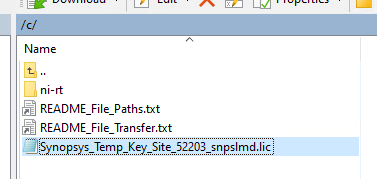
- Request the license file by providing the MAC address of the PXI interface.
- Use FPT or a similar tool to place the license file on the PXI.
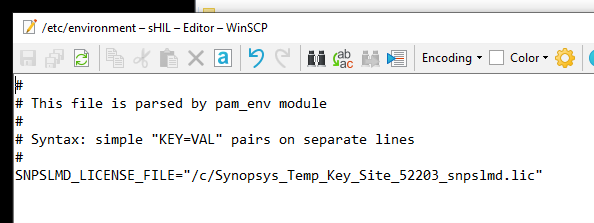
- Log into the RT controller, navigate to
/etc/environment, and add the environment variable to point to the license file’s location:
You can find detailed instructions in the Synopsys Licensing QuickStart Guide.