FPGA Model Execution
National Instruments (NI) supports ultra-fast real-time model execution on reconfigurable FPGA hardware—including PXI FlexRIO, R Series, and CompactRIO targets—to achieve sub-microsecond loop rates, absolute hardware determinism, and microsecond-level signal processing. While MathWorks Simulink is widely used to generate HDL via Simulink HDL Coder, NI’s FPGA deployment architecture is tool-agnostic. NI targets natively support digital logic and simulation models generated from standard hardware design toolchains. This includes hand-written VHDL/Verilog, third-party IP cores, C/C++ algorithms synthesized through AMD/Xilinx Vivado HLS, or signal processing routines created in native LabVIEW FPGA.
By utilizing integration pathways such as the LabVIEW FPGA IP Integration Node, Component-Level IP (CLIP), or the NI VeriStand FPGA Framework, engineers can import, wrap, and execute heterogeneous FPGA IP blocks on NI target hardware without being restricted to a single software environment.
Targeting MATLAB/Simulink models onto NI FPGA targets (such as FlexRIO, R Series, and CompactRIO) via HDL Coder and the LabVIEW FPGA framework shifts execution from software thread scheduling to physical hardware logic gate execution. Because the model is compiled directly into synthesizable VHDL/Verilog and mapped onto Xilinx silicon, model construct rules are strictly governed by hardware synthesizability and available FPGA logic resources.
Supported Features & Configurations
- HDL-Supported Blockset (hdllib): Discrete blocks included in the Simulink HDL library, including Logic & Bit Operations, Discrete Math, Lookup Tables (1D/2D), Discrete Filters (FIR/IIR), Delays, Shift Registers, and Stateflow finite state machines for high-speed state logic.
- Numerical Data Types: Fixed-point data types configured via Simulink Fixed-Point Designer (ideal for minimizing gate usage), Boolean, Integer types (int8 to int32), and Native Single-Precision Floating-Point operations.
- Multi-Rate Subsystems: Multi-rate algorithms where every sample rate is an integer multiple of the base FPGA system clock.
- Code Export & Target Integration: Automated VHDL code generation through the HDL Coder Support Package for NI FPGA Hardware, or direct integration of exported VHDL/IP cores into LabVIEW FPGA via the IP Integration Node (IPIN) or Component-Level IP (CLIP).
- Cycle-Accurate Hardware I/O: Direct pin-level mapping for sub-microsecond PWM edge capture/generation, quadrature encoder decoding, resolver signal synthesis, and high-speed digital protocol engines (SENT, PSI5).
Workflow
NI developed the HDL Coder Support Package for NI FPGA Hardware to simplify targeting Simulink models into NI FPGA platform.
This addon implement a workflow that allow the user to compile the model to specific FPGA and integrate it into NI VeriStand project. The workflow is divided into multiple steps:
- Set Target,
- Prepare model for HDL code generation,
- HDL code generation,
- Create and compile project.
All those steps are guided by the Workflow Advisor on the HDL CODE tab in Simulink.
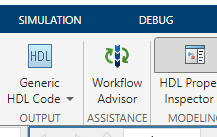
Once the Advisor is launched the steps are mapped and can be executed in the right order.
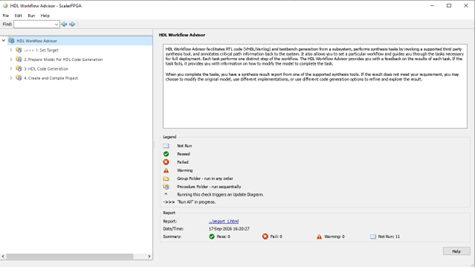
Set Target
This step is dedicated to selecting and configuring the FPGA target we want to execute the model on and is made from the following sub steps.
Set Target Device and Synthesis Tool
In this section the user needs to select the target platform among the supported available ones.
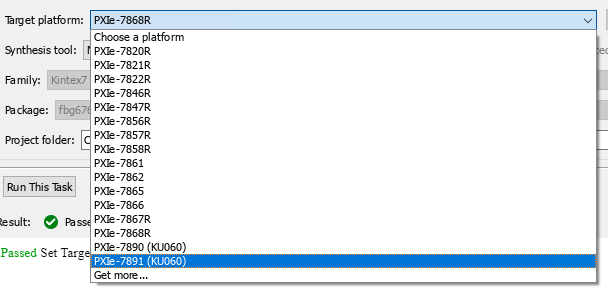
And the synthesis tool as indicated below. 
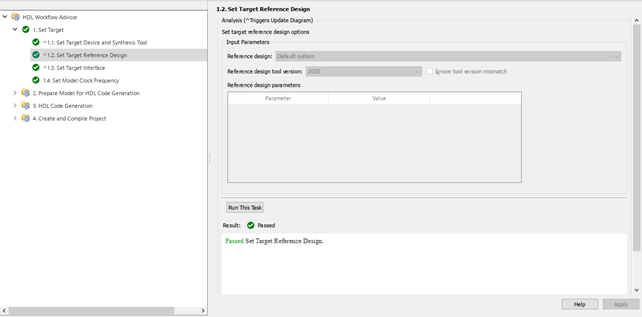
Set Target Reference Design
Set Target Interfaces
in this step the user can link the signals from the model either to register or to physical IO by pairing the signals to the target platform interface.
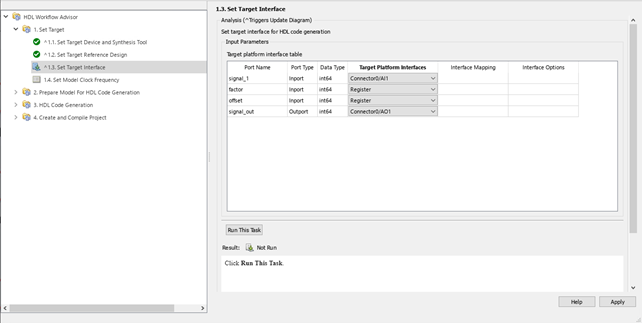
- Register will be used to connect models IO to other part of the system (e.g. CPU models, network interfaces, etc…)
- Physical IO is targeting the pins available on the FPGA board selected in the first step.
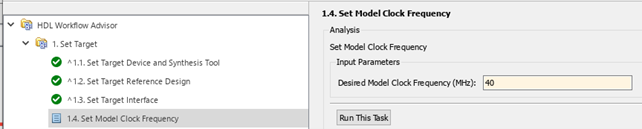
Set Model Clock Frequency
In this step the user define the clock use by as reference in the FPGA.
Prepare Model for HDL Code Generation
This step is dedicated to check the model settings are configured correctly to enable model compilation in the next step.
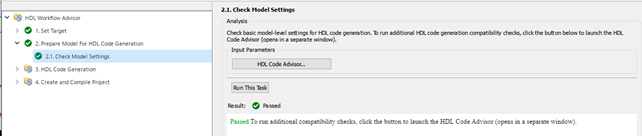
HDL Code Generation
This step is dedicated to generating the VHD code from the model that will be used later one in the NI VeriStand integration.
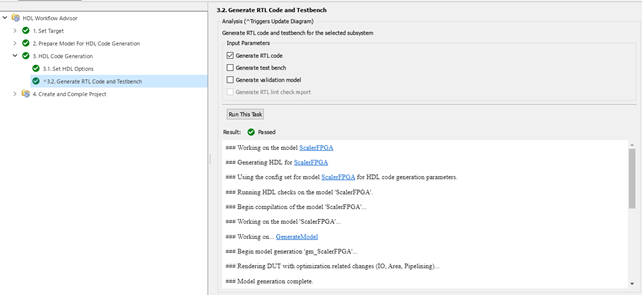
Create and Compile Project
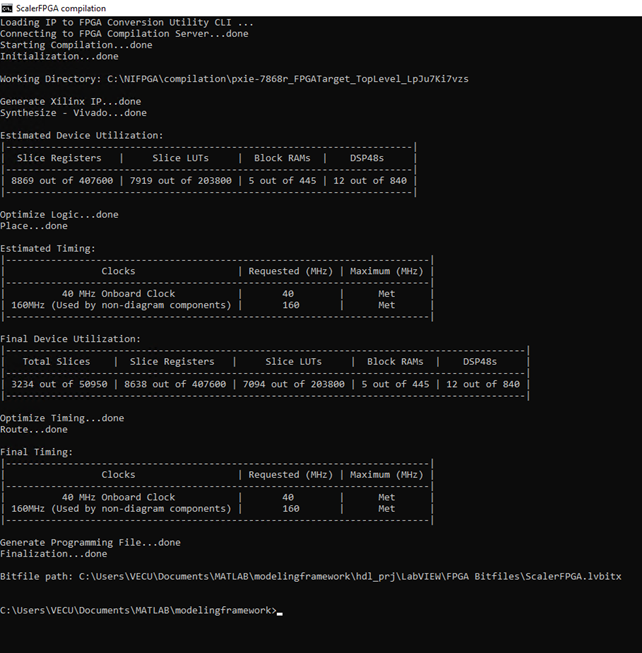
This step takes the vhd code and in the background will generate the LabVIEW wrapper and compile the project to be integrated in NI VeriStand.
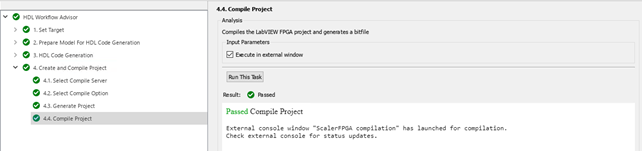
This will go through multiple steps triggering the NI FPGA toolchain to optimize, create and compile the LabVIEW wrapper. A log will be presented to the customer during the process as shown below.
Import the model
To import the compiled model follow these steps:
- Open the NI VeriStand project you need to import the model to.
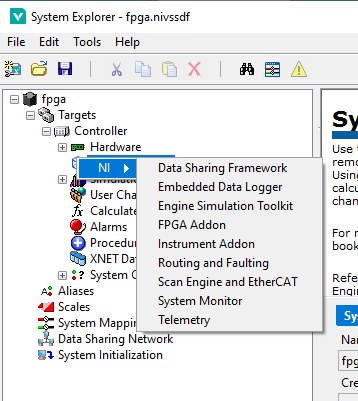
- Open the system definition and add the FPGA Addon cusomt device
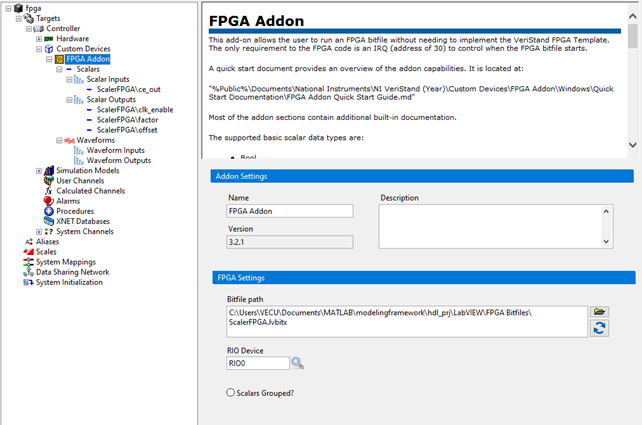
- select the compiled bitfile produced at the endi of compilation process
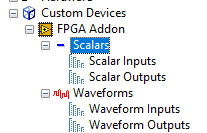
- select and import the input and output to expose them to the rest of the configuration
- select the signals you want to add and press “add selected”
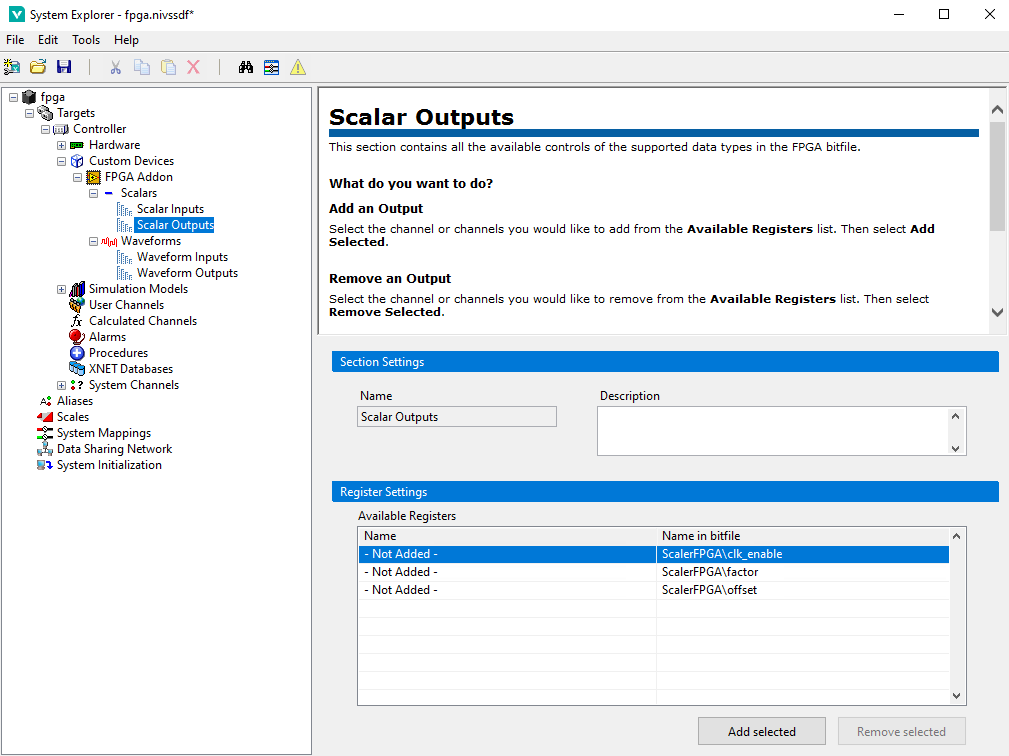
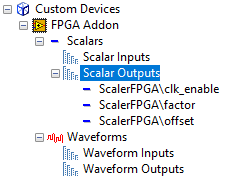
- the signal will now be available fro the configuration to be used.